Additional information
| Billing option | 1 Year, 2 Years |
|---|

From: $149.00 / year
Add more functionality to your existing WooCommerce Dropshipping plugin.

Enhance Customer and Supplier Communication
Dropshipping Pro for WooCommerce makes it easy to create a personalized experience for your customers. With advanced email customization, you can design tailored messages for customers and suppliers, giving you complete control over what information is shared. Modify supplier emails and packing slips to suit your business needs effortlessly.
Advanced Insights for Affiliate Marketers
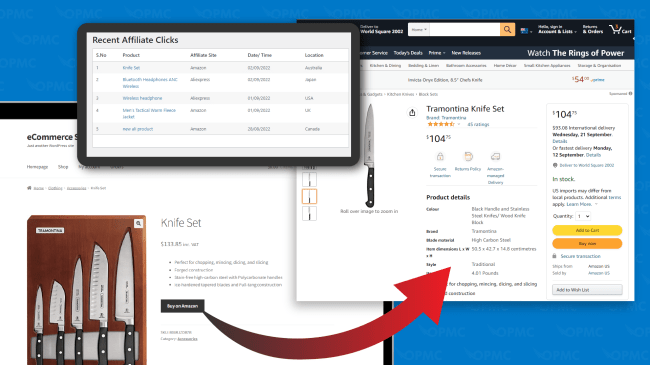
For affiliate marketers, the Pro Add-on expands your capabilities by providing real-time insights into affiliate store activity. Track customer interactions with affiliate products, including details like product page visits, dates, times, locations, and linked affiliate sites. This data helps you identify which products are driving the most traffic and optimize your strategy accordingly.
Support Growth with Powerful Features
Whether you’re managing a dropshipping store or running an affiliate marketing program, Dropshipping Pro offers the tools you need to grow. From enhanced communication to actionable insights, this add-on empowers your business to thrive.
Pro Add-on for WooCommerce Dropshipping when activated, adds the following features to existing WooCommerce Dropshipping powered stores:
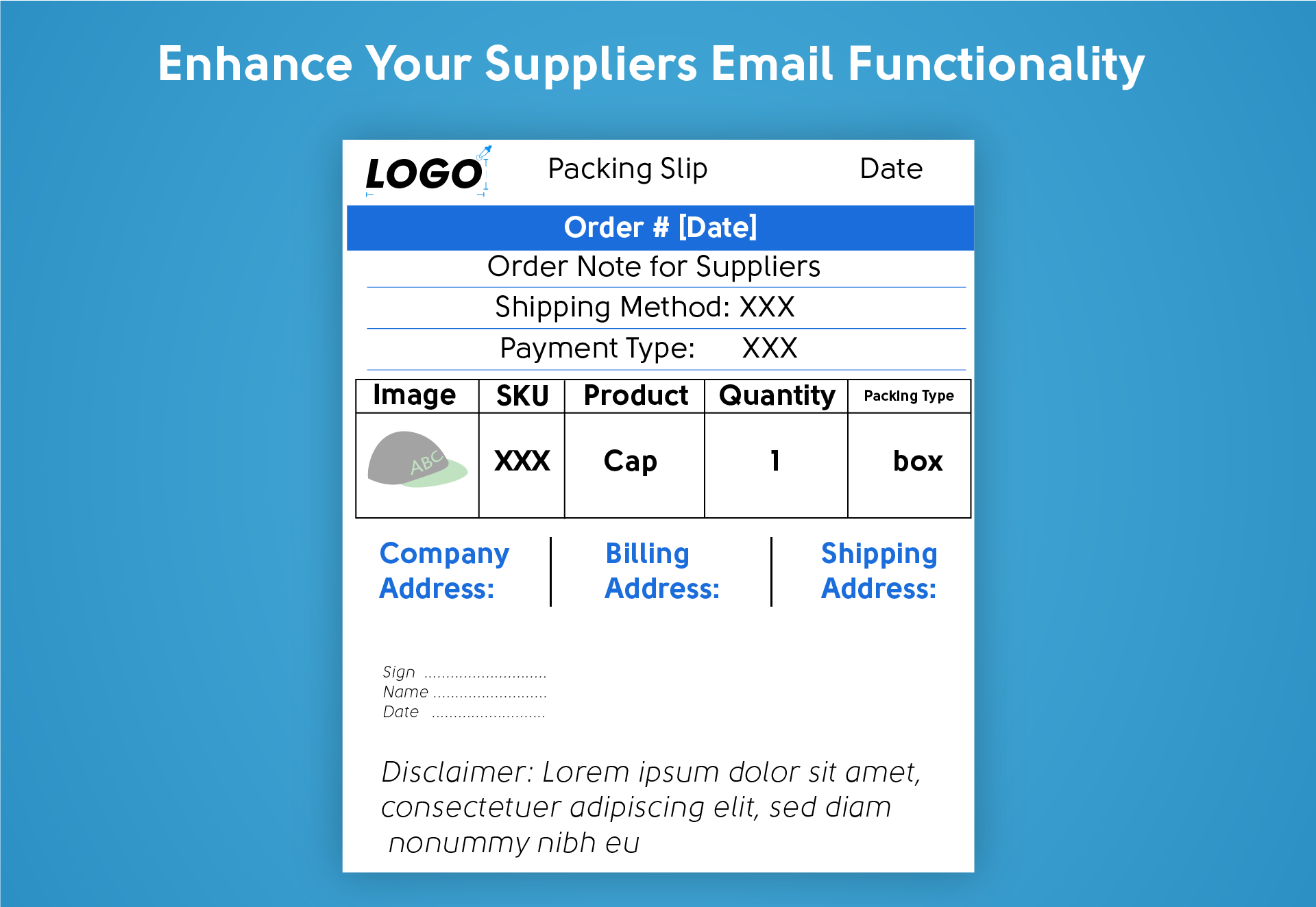
With Pro Add-on for WooCommerce Dropshipping, you can perform the following add-on operations in addition to existing features of WooCommerce Dropshipping Suppliers email customization:
Enhance your dropshipping store with powerful tools to monitor your affiliate products and track performance directly from your WooCommerce dashboard.
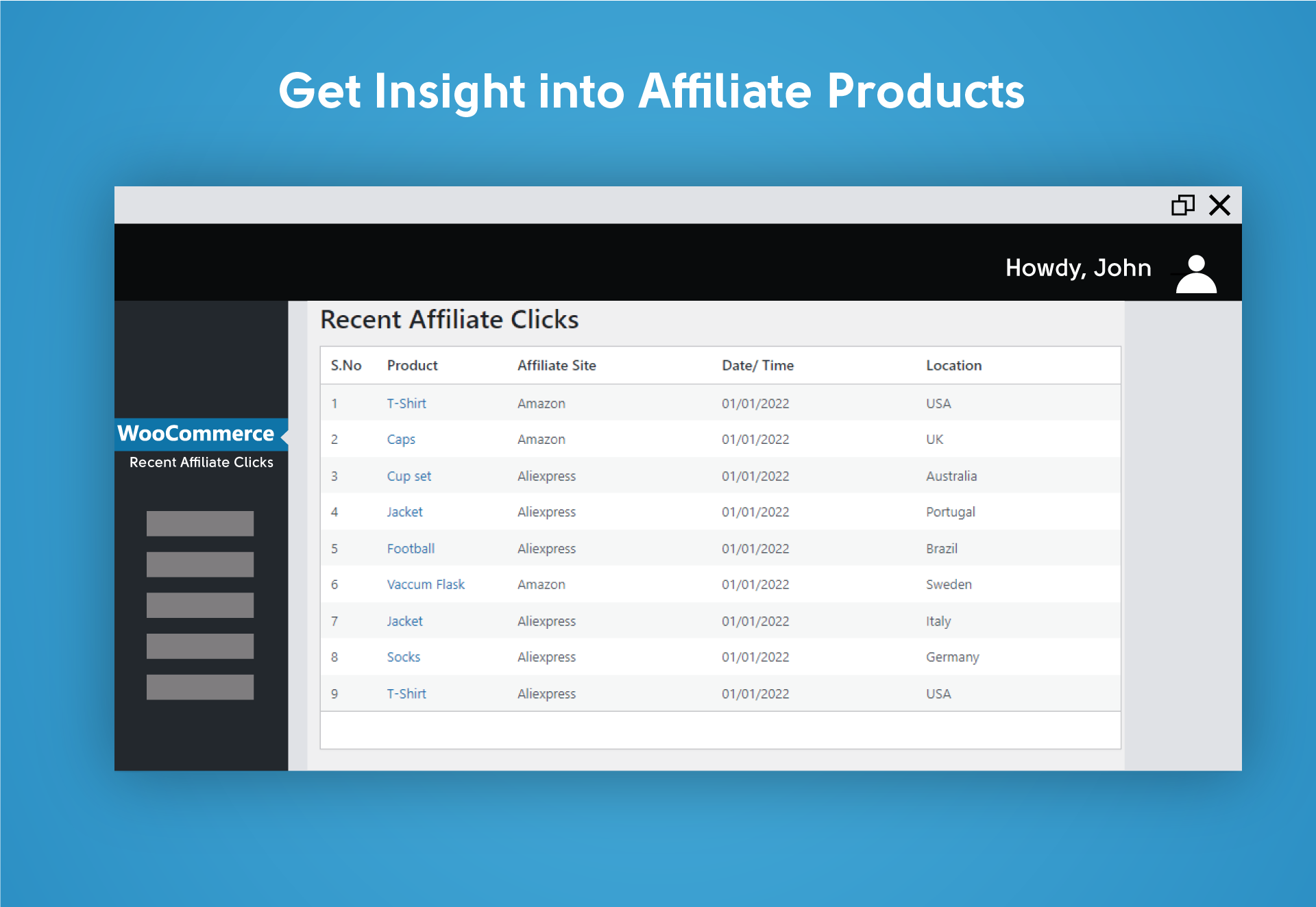
Pro Add-on for WooCommerce Dropshipping boosts your ability to see your affiliate store activities no matter which affiliate program you are part of. It provides information on store activities. So, if a customer visits any affiliate product page on your website, the affiliate dashboard will provide the product, date, time, location, and linked affiliate site information in one place. This allows you to understand which affiliate products are attracting more customers and will also help you in identifying those that are not performing well on your website.
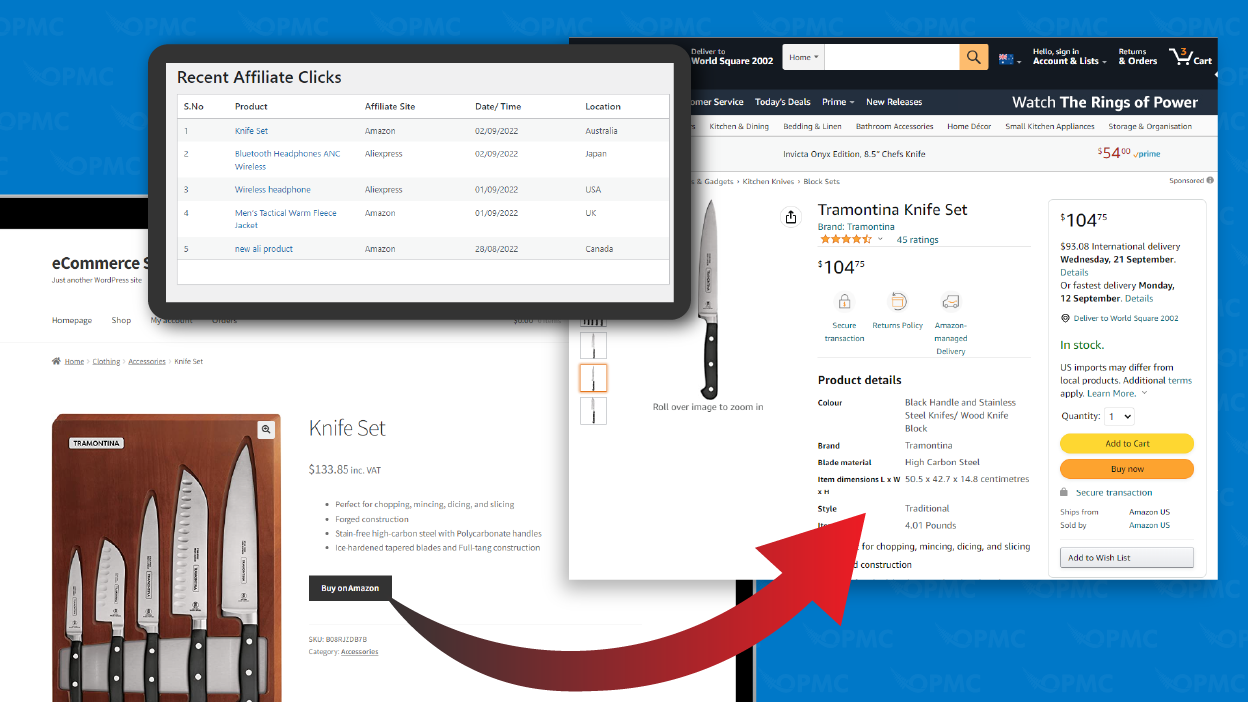
Pro Add-on for WooCommerce Dropshipping will enhance the marketing and analytical skills for dropshipping and affiliate stores. With email customization, you’ll have more control over customizing emails and labels for suppliers and customers which is also one of the most demanding features from our existing customers. Affiliate marketing dashboard will help merchants know which products are popular among visitors. Based on this, you can create a better marketing strategy to benefit from.
This plugin is an extension of the WooCommerce Dropshipping plugin. Pro Add-on for WooCommerce Dropshipping will increase the functionality and provide merchants with additional features to upscale their dropshipping and affiliate marketing stores.
Minimum WooCommerce version required: 3.0.0
Minimum WordPress version required: 4.6
Minimum PHP version required: 5.6
Pre-requisite: WooCommerce Dropshipping
| Billing option | 1 Year, 2 Years |
|---|
At Woocommerce.opmc.com.au, we want to ensure that you are 100% happy with your purchase.
Our policy offers a full refund within 30 days of your date of purchase. We’d love to know what went wrong and how we can improve, so please include details about the reason for your refund request if you reach out to us directly.
Woocommerce.opmc.com.au and our payment process submit the refund immediately and make every attempt to process the refund as quickly as possible. Your financial institution can take up to 20 days for the refund to reflect in your bank account/card.
Pro Add-on for WooCommerce Dropshipping, an add-on plugin, extends the functionality of WooCommerce Dropshipping adding the following features to existing WooCommerce Dropshipping powered stores:
Pro Add-on for WooCommerce Dropshipping requires WooCommerce Dropshipping to be installed and activated.
After installation and activation of Pro Add-on for WooCommerce Dropshipping, the Recent Affiliate Clicks menu will be accessible from the WordPress admin panel under the WooCommerce nav menu along with additional settings under WooCommerce > Settings > Dropshipping > Customised Supplier Emails.
The WooCommerce Dropshipping plugin allows you to create emails, labels and a dedicated account for local dropshipping suppliers. This helps suppliers to prepare and send products to your customers. Additionally, suppliers can update tracking numbers, shipping dates, shipping company names and other notes using their dedicated dashboard on your website.
Pro Add-on for WooCommerce Dropshipping offers extended styling options and customization features giving merchants more control in designing supplier emails. Customization options include:
Merchants can conveniently set the design they prefer.
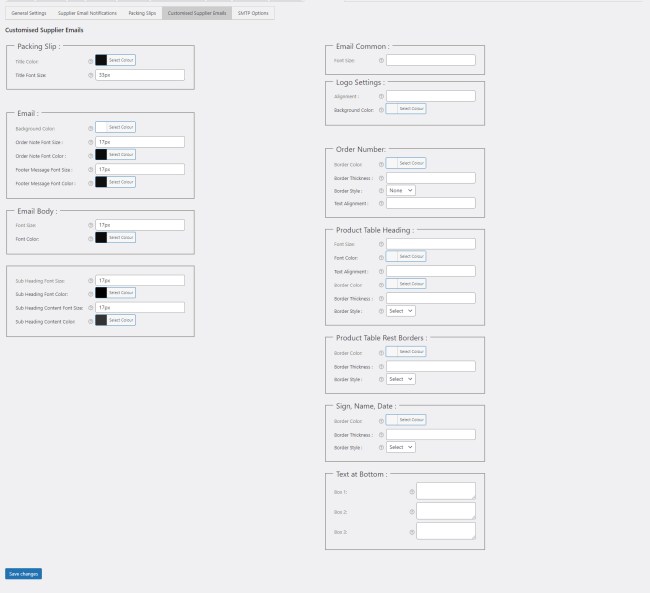
To set up suppliers' emails, navigate to WooCommerce > Settings > Dropshipping and click Customised Supplier Emails.
You'll see the following settings in the additional right column:
Here, you can set the common font size of suppliers' email and the PDF label. Enter the font size in pixels. For example, if you want the overall font size to be 12 pixels, enter 12px.

You can set the logo position and background color:
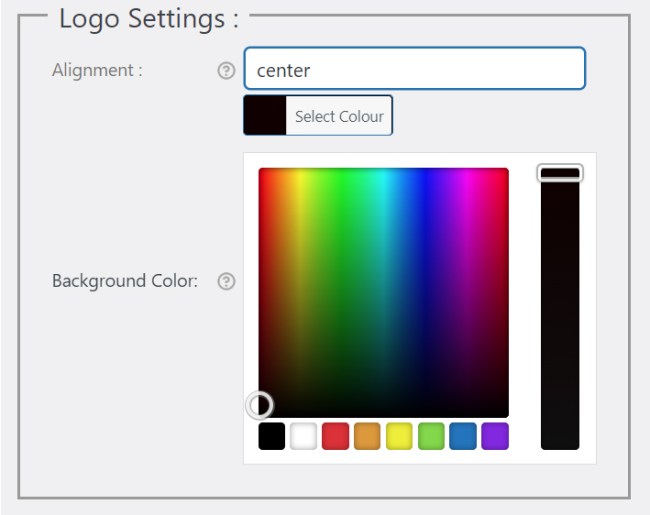
Further customize the styling of order numbers:
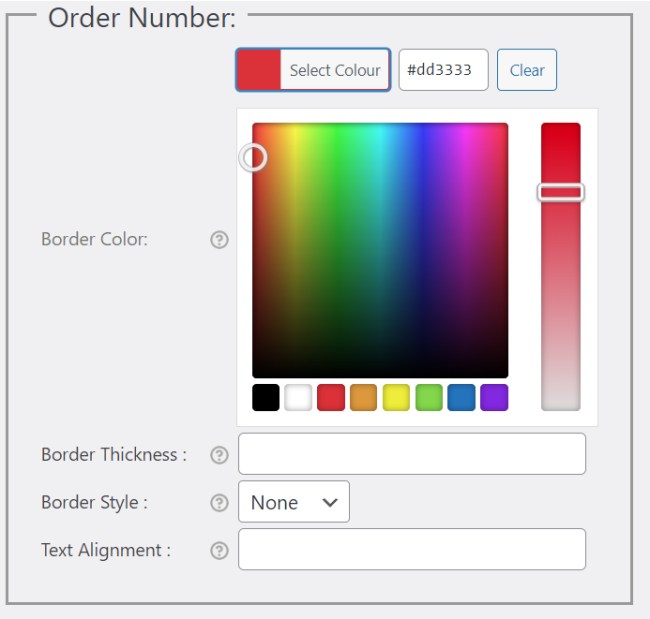
Set the styling of product table headings and labels:
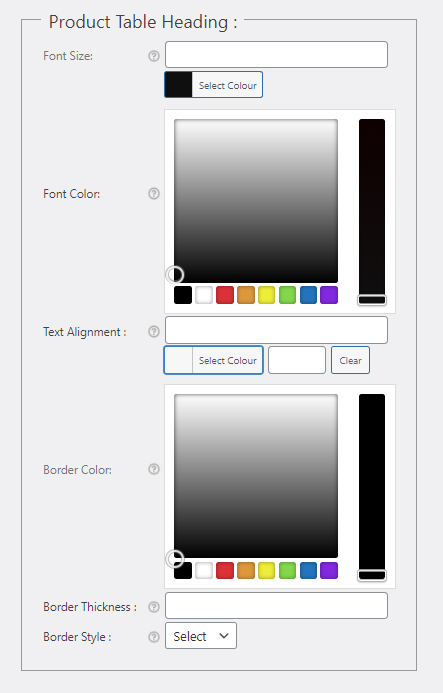
You have the option to set the rest of the borders within suppliers' email and PDF.
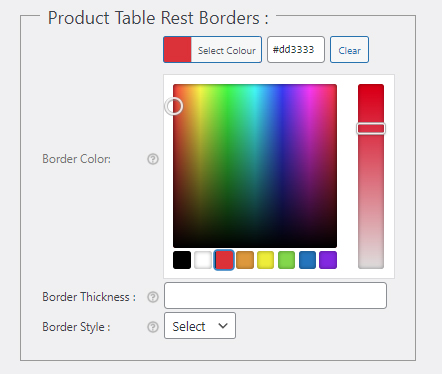
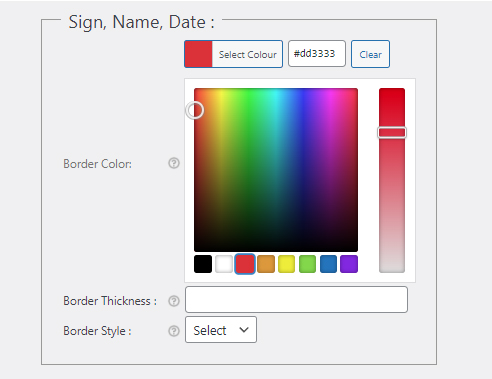
You can further customize the signature block:
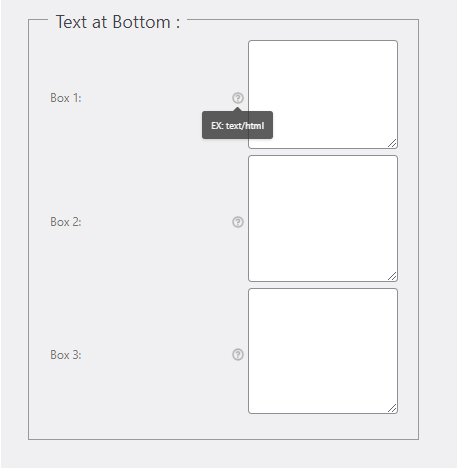
This is a text area for additional content related to your store, for example, Disclaimer, Policy, etc. In the 3 boxes provided, you can input simple text or HTML which will display in the shipping and billing address area.
The Recent Affiliate Clicks dashboard displays information related to your affiliate stores such as the affiliate website. name of the product clicked on, location of the customer who clicked on your affiliate link as well as the date and time of the click.
To view your recent affiliate click data, go to WordPress Dashboard > WooCommerce and click Recent Affiliate Clicks.

When customers visit and click on affiliate products on your WooCommerce website, the click is registered in the affiliate clicks dashboard. Click data includes:
Only logged in customers who have purchased this product may leave a review.

Reviews
There are no reviews yet.