


Zoom Integration with Bookings and Appointments for WooCommerce

$69.00

Host Online Sessions Seamlessly

Easily host online meetings, classes, and consultations.

Seamless Integration with WooCommerce Bookings

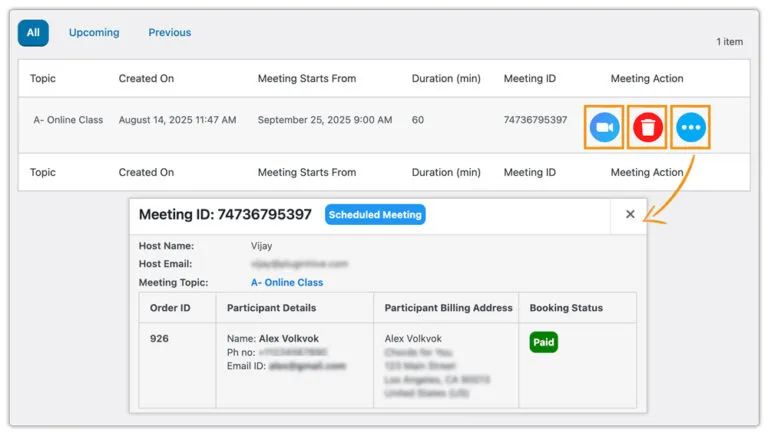
Auto-Create Zoom Meetings

Auto-Create Zoom Meetings

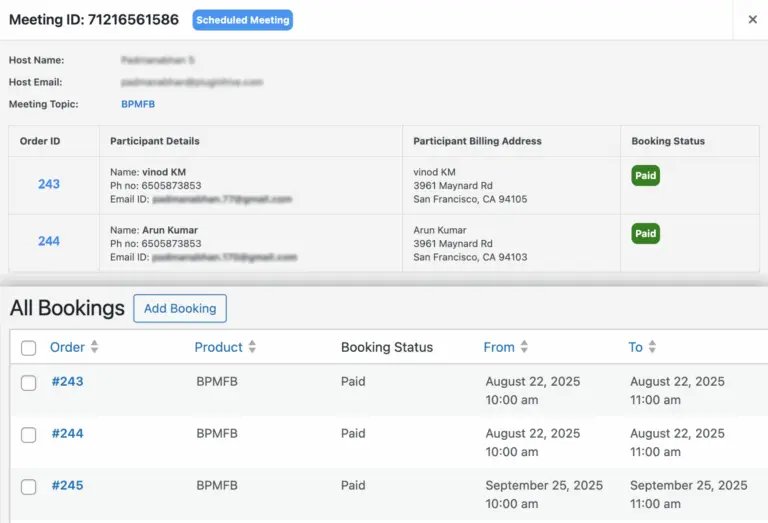
Supports Both Individual and Group Sessions

Supports Both Individual and Group Sessions

Easily Select Who Hosts the Meeting

Easily Select Who Hosts the Meeting

Automate Zoom Scheduling and Elevate the Customer Experience in WooCommerce

  • No more creating meetings manually for every booking. Once a customer confirms a booking on your WooCommerce store, a Zoom meeting is automatically generated behind the scenes—saving you time and preventing errors or missed setups.


Handle Bookings and Zoom Meetings Directly in WooCommerce

  • Forget juggling multiple platforms. Manage both your bookings and their linked Zoom meetings directly within WooCommerce for a seamless, streamlined workflow.
Handle Bookings and Zoom Meetings Directly in WooCommerce


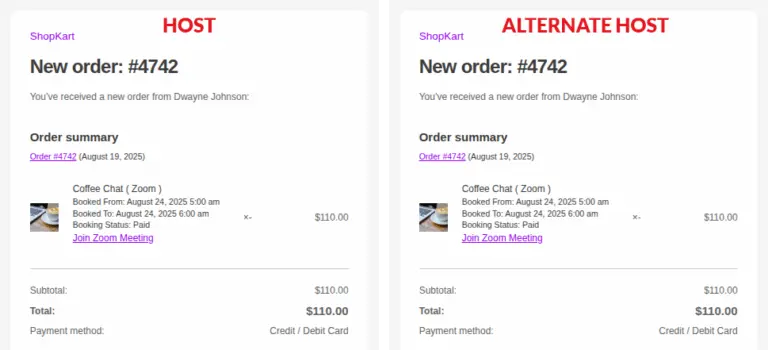
Booked Staff Automatically Set as Zoom Hosts

Booked Staff Automatically Set as Zoom Hosts

  • For bookings involving staff or specific resources, the addon automatically assigns the booked staff member as the Zoom alternate host. This ensures that when a client schedules with a consultant, trainer, or instructor, that staff member is granted hosting privileges without any extra steps.

At Woocommerce.opmc.com.au, we want to ensure that you are 100% happy with your purchase.

  • If you have technical or sales queries, do not hesitate get in touch with us
  • If after you attempted to resolve issues with Support staff and feel the product(s) you purchased does/do not the best fit your requirements, we want to make things right.

Our policy offers a full refund within 30 days of your date of purchase. We’d love to know what went wrong and how we can improve, so please include details about the reason for your refund request if you reach out to us directly.

Woocommerce.opmc.com.au and our payment process submit the refund immediately and make every attempt to process the refund as quickly as possible. Your financial institution can take up to 20 days for the refund to reflect in your bank account/card.


You may also like…

  • Anti-Fraud Plugin for WooCommerce

    Anti-Fraud Plugin for WooCommerce

    $129.00 / year
Image coming shortly notice
Zoom Integration with Bookings and Appointments for WooCommerce
$69.00